
How to stop others from using your Wi-fi?


Trick#1: Monitor if the wifi is not signalling when all the other family members are using it, If not. Switch it off. (of course the non-paid stranger should not be using it happily.
Trick#2: Consult it with your neighbours. Yes, tell your neighbours that if they would be found doing anything like that, they wouldn't be forgiven.

Trick#3: Change the name of your Wi-Fi device to something scary such as C://virus.exe and the stranger will think twice before using it.
Trick#4: Save a password for the router and tell the family members to not to discuss it outside the home.

We hope that either of these tricks would be able to work for you .Thanks for reading and keep coming :)

 Read More
Add your Comment
1 comments
Read More
Add your Comment
1 comments
Bookmark this post: | 


|
Change Windows 7 Login screen?

Hello, all the users. We are now enabling the first time ever Windows tricks for your PC.
It is not the first time that you are hearing about customizing windows for you own fun but you can also do it whenever and however you like as you know that the speciality of the Windows 7 OS is that it provides everything according to you and for you.So, remember that windows is meant for customization and nothing else. You would be really happy to see the first screen on your blog according to you. So, here are the tricks.
You may really like the fact that you may now be able to personalize everything on your blog and for that purpose you must have to read our blog, once in the weak. And, we will make sure that you don't have to waste any of your visits. So, here are the tips:
- First, you would have to enter your windows 7 desktop.
- Then, you can do the needed trick manually or with a windows screen changer.
- Don't worry about downloading it as we will provide the necessary link for you.
- Hence, the download link is:Logon changer
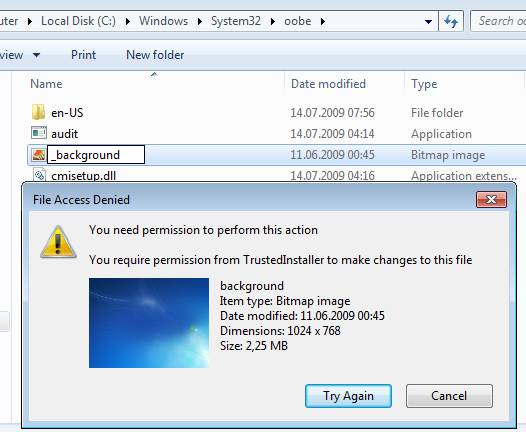

Enjoy techieng (i know that is not even a word.) . :)
Read More
Add your Comment
2
comments
Bookmark this post: |
|


 Posts
Posts

